

Action
Adventure
Indie
Software Training
Utilities
Captions available
Steam Workshop
DualShock Controller Support
Partial Controller Support
Steam Cloud
2020
Download Available
Reported 0 times
Steam Store
Crosshair X Free Download
File Size: 180 MB
Rating: 94% (Very Positive)
Added Date: Jul 10, 2026
Downloads: 3
Reported: 0 times
Improve your aim and accuracy in every shooter you play. Crosshair X overlays a custom crosshair on top of any game, even games that do not include one. Choose from thousands of community designs or build your own with the designer.
Pre-installed Notice
This game is already pre-installed for you, meaning you do not need to run any setups or installer files. Simply extract the folder, double-click the game executable as Administrator, and play instantly!



About The Game
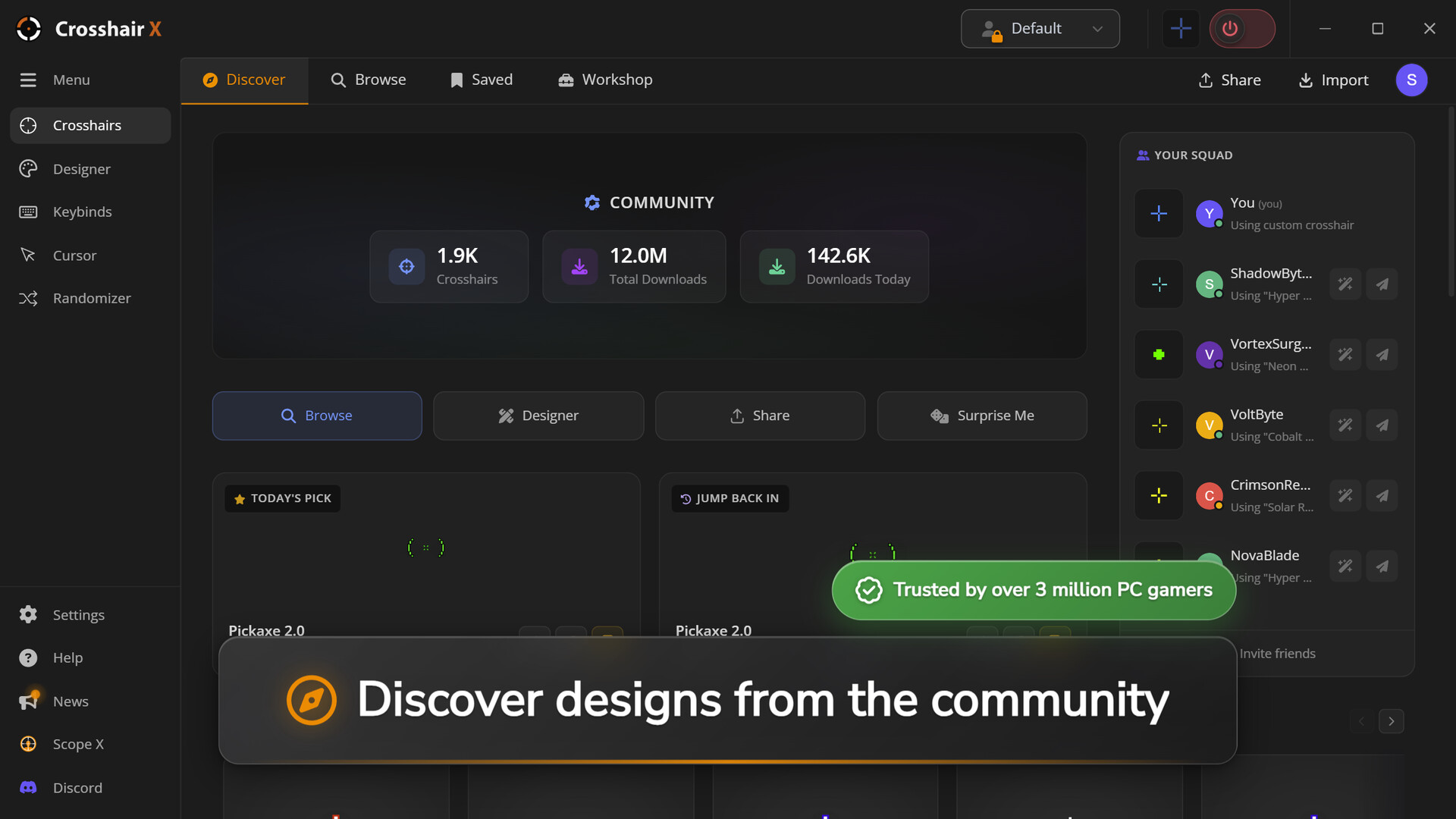
A custom crosshair for every game you playCrosshair X overlays your own custom crosshair on top of any game you play, even games that do not include one. Improve your aim and accuracy in first-person shooters, third-person shooters, battle royales, survival games, and anything else you play on PC.
Rated Very Positive with over 41,000 reviews on Steam, Crosshair X is the most popular crosshair overlay on PC.
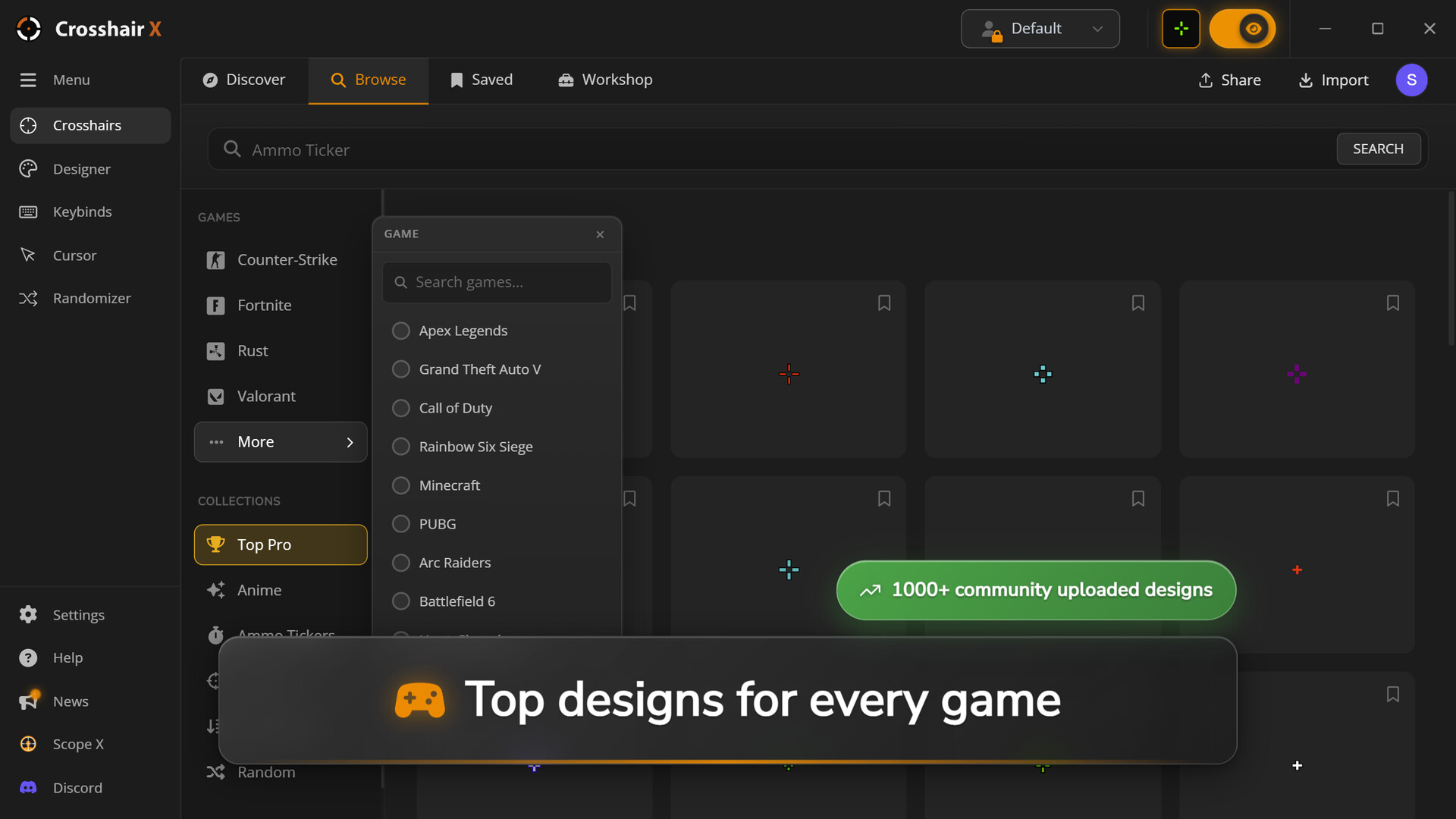
FeaturesThousands of community designs. Browse and download crosshairs shared by the Crosshair X community, with new designs added every day.
Precision designer. Build your own crosshair from scratch with controls for lines, dot, outline, color, opacity, and animations. Upload any image to use as your crosshair.
Works in every game. Compatible with first-person shooters, third-person games, survival titles, and single-player adventures.
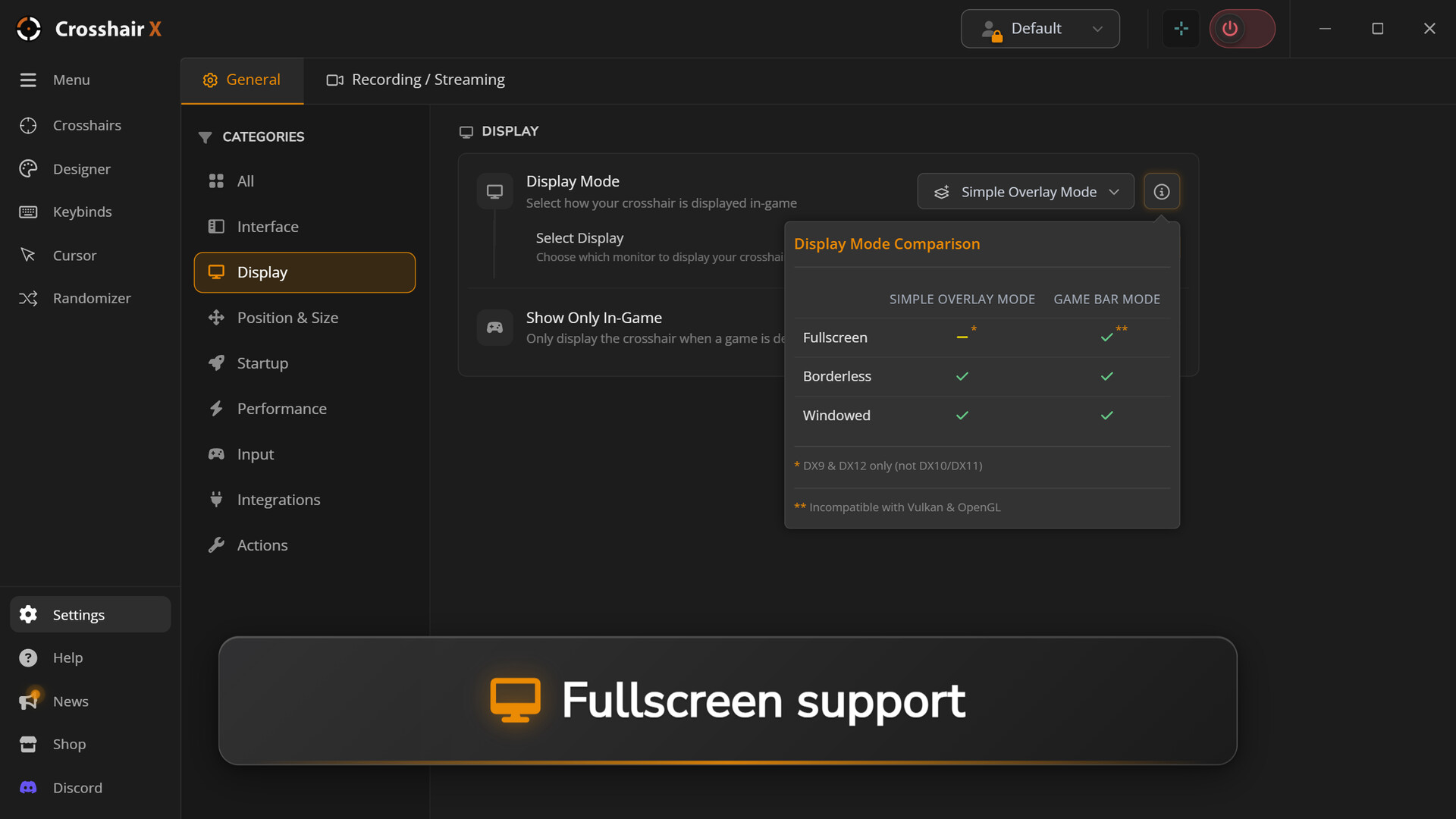
Exclusive fullscreen support. Show your crosshair even in games that block third-party overlays, through the official Xbox Game Bar.
Steam Workshop. Subscribe to crosshairs from the Steam Workshop and publish your own designs.
Multi-monitor support. Choose which monitor to display the crosshair on, and save the crosshair position for each game.
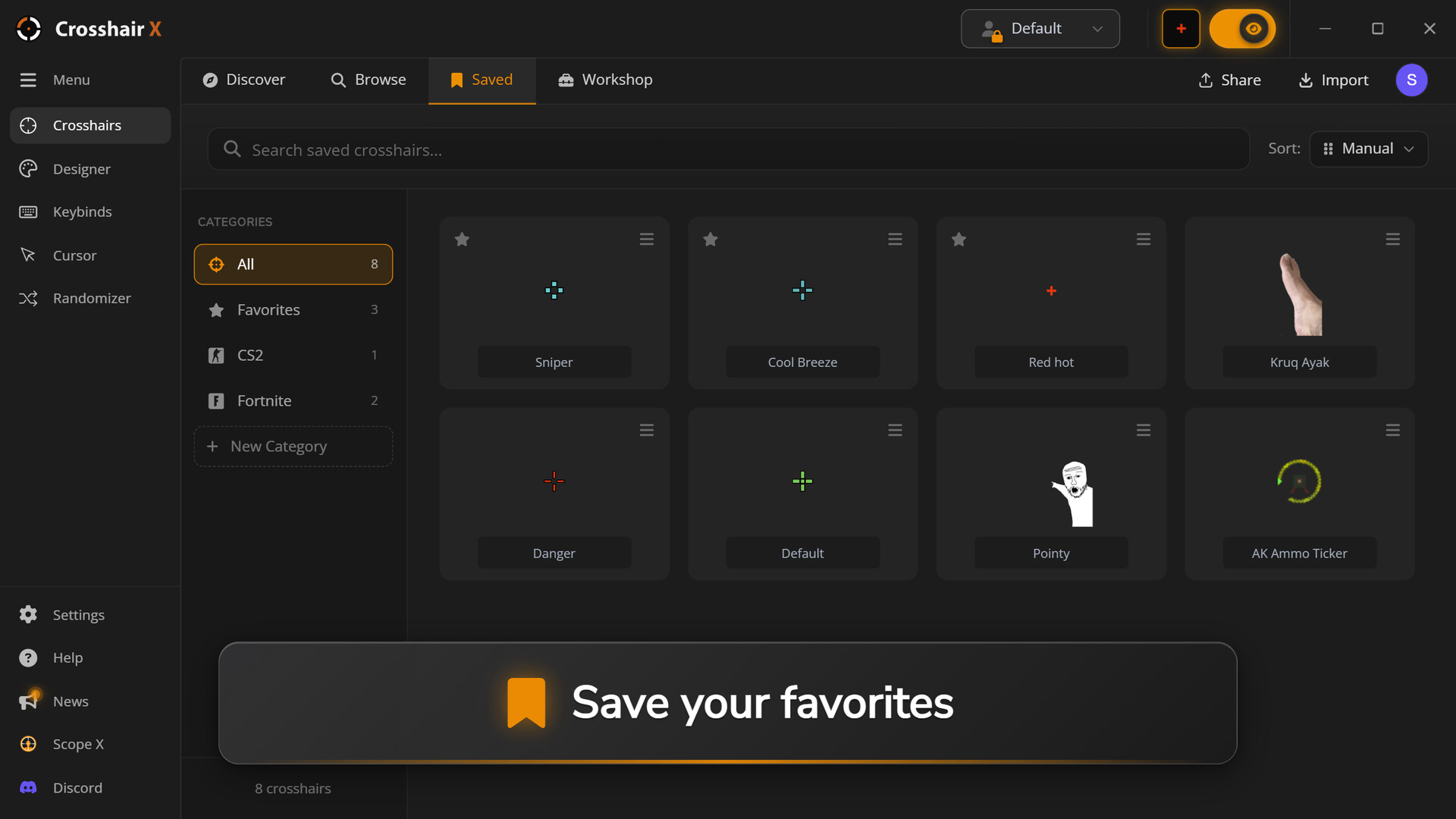
Save and switch. Save unlimited crosshairs and switch between them in seconds.
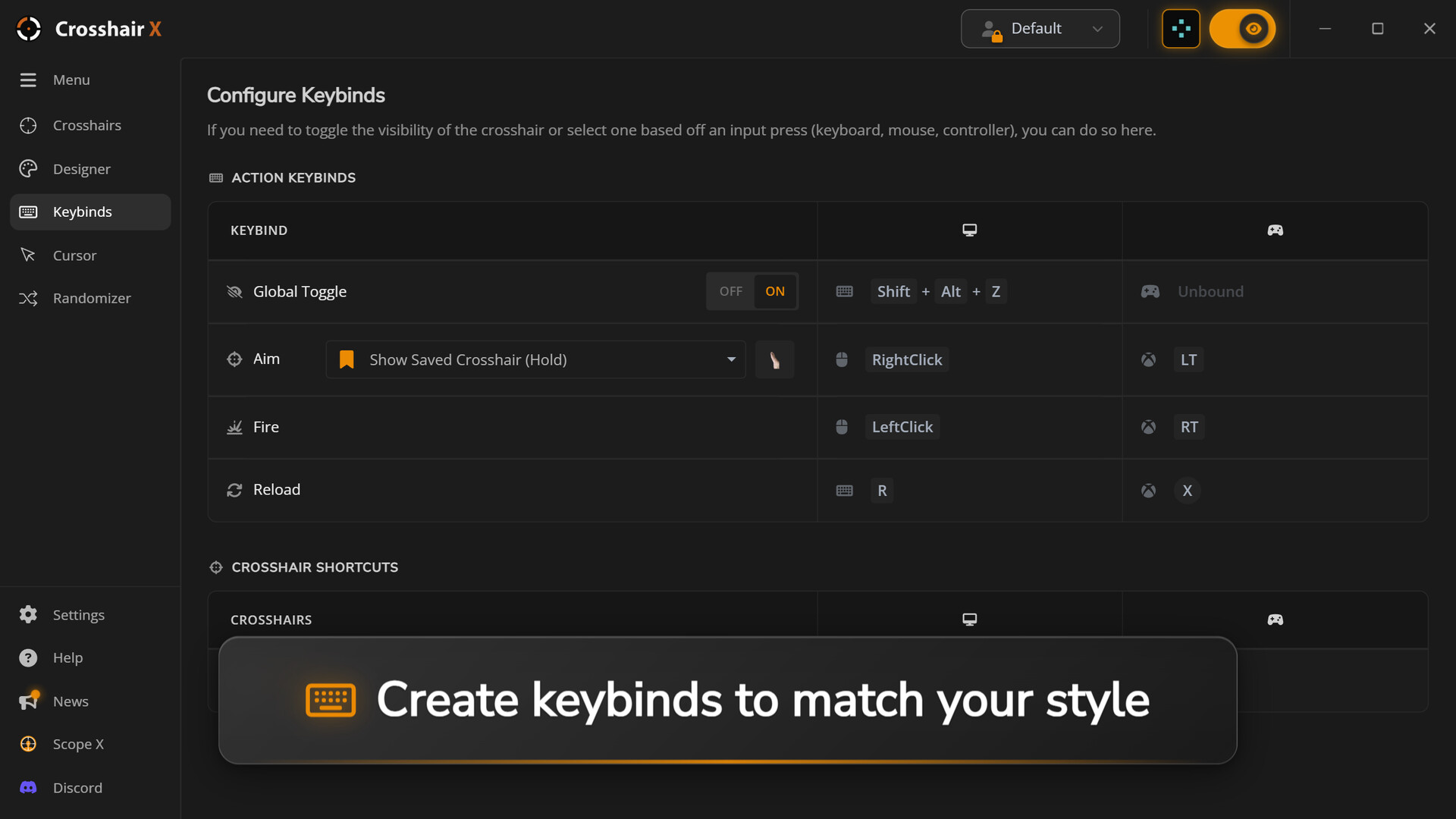
Smart toggle. Show or hide your crosshair with a custom keyboard shortcut, or hide it automatically when you right-click to aim down sights.
Share with friends. Share any crosshair with a single code, or export it as an image file.
Available in 17 languages. English, Spanish, French, German, Italian, Portuguese, Russian, Japanese, Korean, Chinese, Turkish, Polish, Swedish, Czech, Danish, and Ukrainian.
How to Install
1. Download the game using any of the mirrors above.
2. Extract the archive using WinRAR or 7-Zip.
3. Turn off your antivirus or add the extracted folder to exclusions (to prevent crack files deletion).
4. Run the game .exe file as administrator.
5. Play!
Download Mirrors
Links not working? Report it. Status changes to Link Broken after 50 reports.
(Total reports filed: 0)
Share this Release
Related Games

Game Status Poll
Does Crosshair X launch and run properly on your PC?
100% Working
0% Issues / Broken
Total community votes: 0
System Requirements
-
OS: Windows 10
Game Info
-
Genre: Captions available, Steam Workshop, DualShock Controller Support, Partial Controller Support, Steam Cloud
-
Developer: CenterPoint Gaming
-
Platform: PC
-
Game Size: 180 MB
-
Released By: CenterPoint Gaming
-
Version: Build 15439565
- Pre-Installed Game No Setup Needed
Advertisement Slot